NFC-e Dashboard
Your grocery receipts, organized
Understand how much you spend day to day, straight from your own receipts.
Upload NFC-e PDFs or scan the QR code on the receipt. The dashboard groups everything by month, category, and product — so you can see where your grocery money is going.
Features
Everything you can do with your receipts
Receipt import
Upload PDFs or scan QR codes from NFC-e receipts and the system extracts products, prices, and issuer automatically.
Spending dashboard
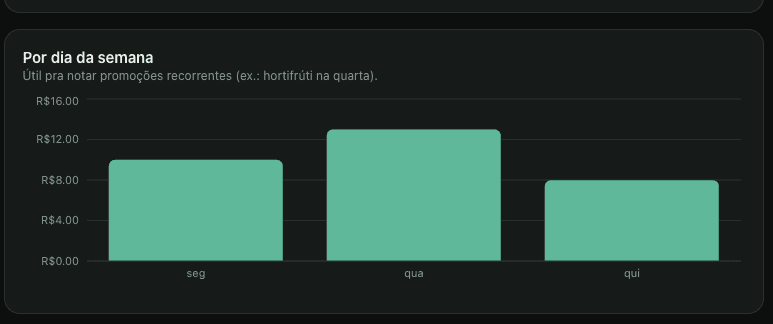
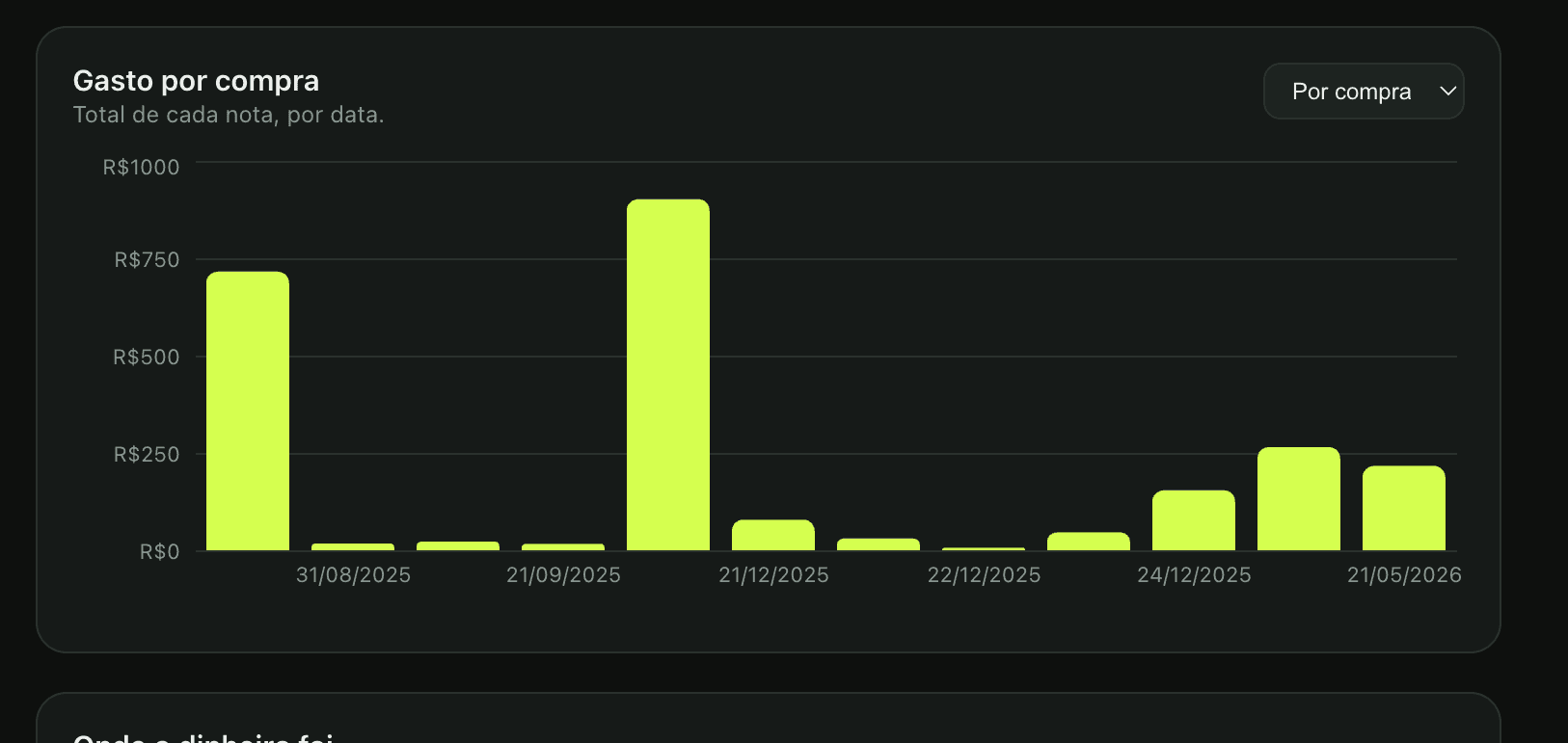
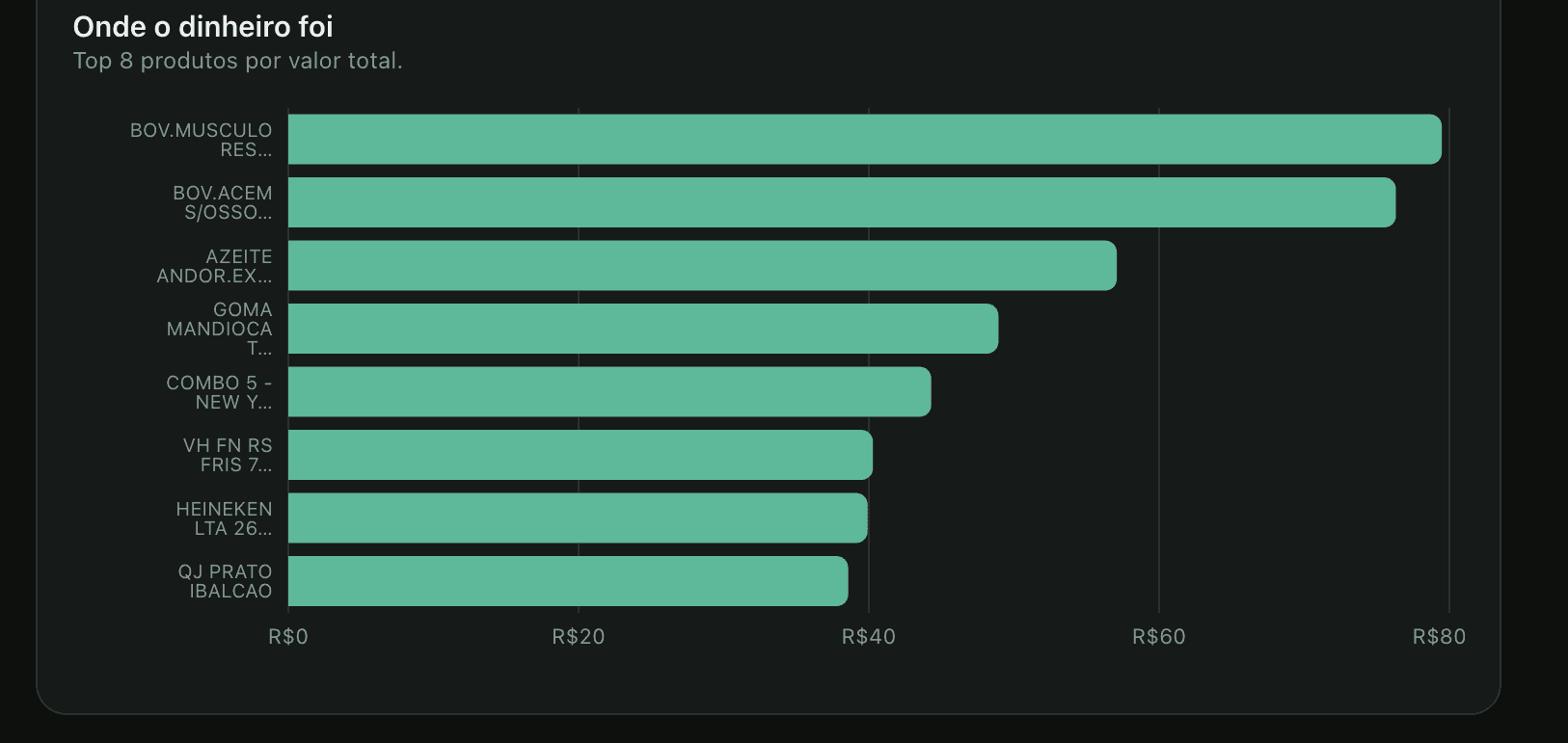
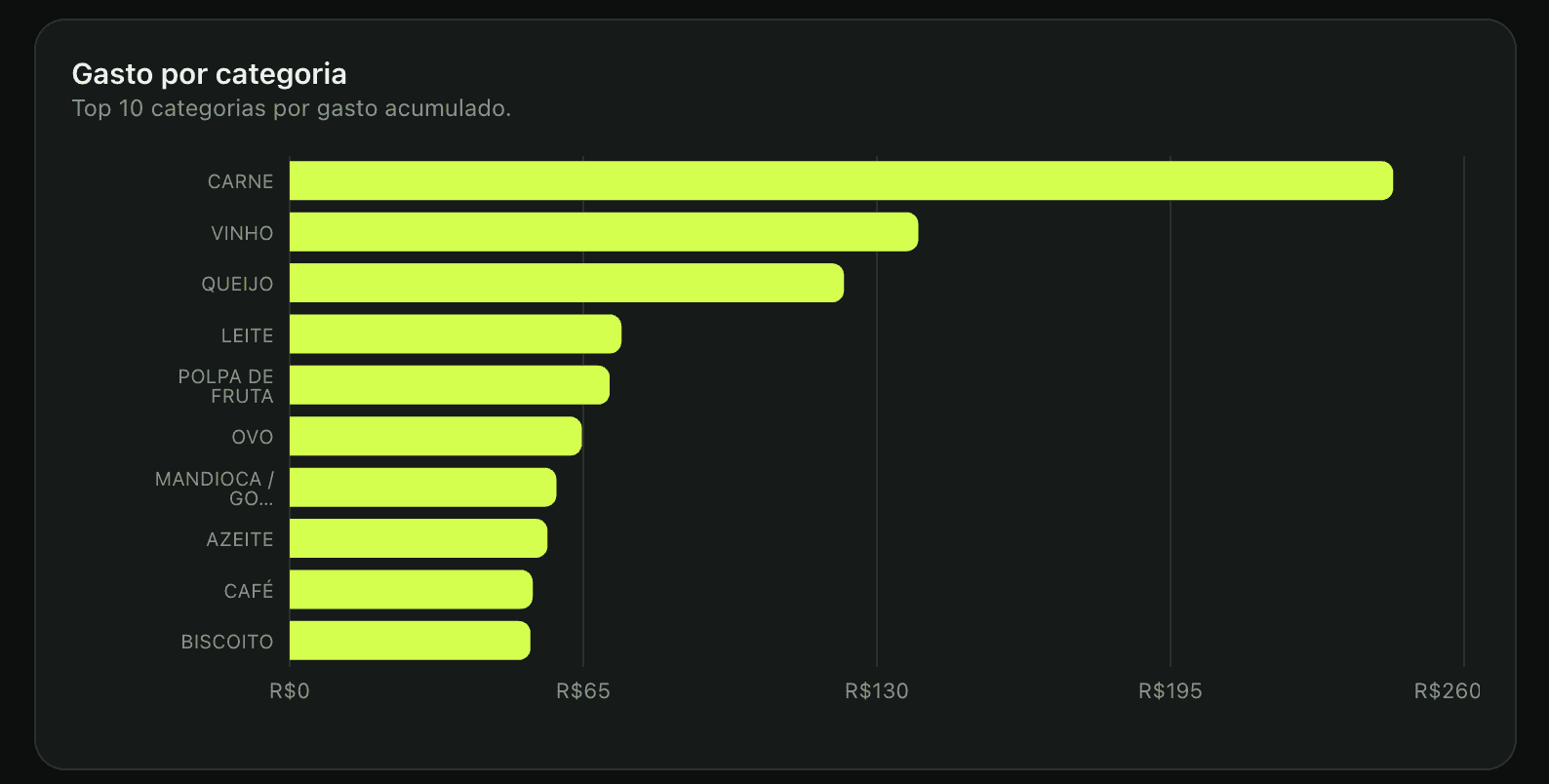
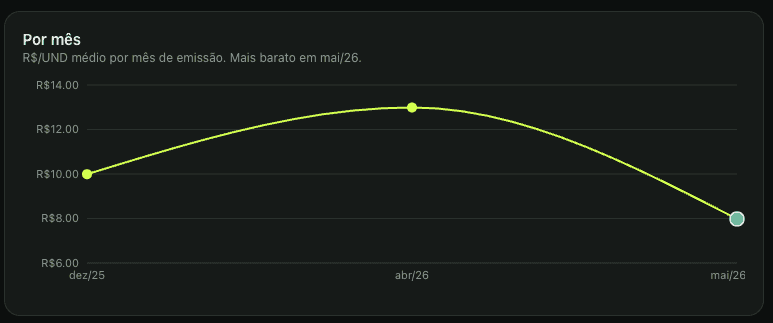
See how much you spent by month, by category, and by store, with ready-made charts.
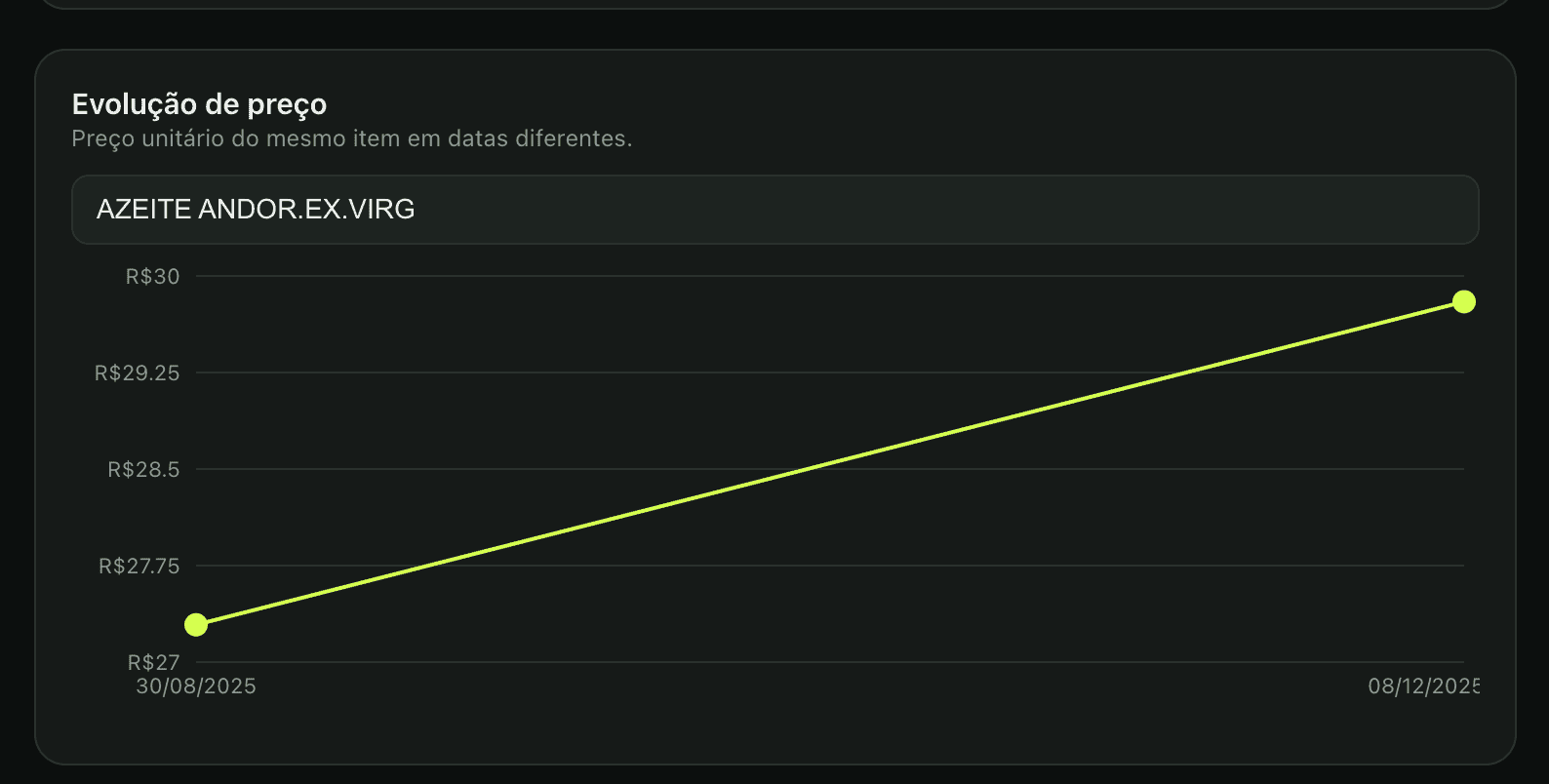
Prices over time
Find out which time of year each product is cheaper and plan your purchases accordingly.
Smart shopping list
The dashboard spots what you buy often and suggests a list based on your history.
Recipes from what you have
Get recipe suggestions based on items from your most recent receipts.
Your personal inflation
Track the price variation of your own products over time — not the official inflation average.
What you see in the dashboard
Your spending, in ready-made charts
How it works
In three steps
01
Capture the receipt
Upload the NFC-e PDF or point your camera at the QR code printed on the receipt.
02
Let the dashboard read it
Products, prices, issuer, and date are extracted automatically — no typing required.
03
Use the insights
Track monthly spending, uncover price patterns, and get shopping suggestions.
Ready to sign in?
Access restricted to accounts authorized via Google.